

5G RedCap Routers
Connect industrial equipment over 5G RedCap for remote monitoring, data collection and site access. The WR153, WR254 and WR255 family offers different combinations of Ethernet, Wi-Fi, serial ports and I/O to match PLCs, sensors and other field devices. Compare the interfaces below to find the right model for your installation.
What is 5G RedCap?
5G RedCap (Reduced Capability) is part of 3GPP Release 17. It provides 5G connectivity for devices that do not need the full capabilities of higher-end 5G equipment.
Field devices
Sensors · PLCs · meters
RedCap router
Connects local equipment
Mobile network
Compatible operator service
Remote systems
Monitoring & access
Confirm operator support, regional bands and the intended SIM. Test with the actual network and connected equipment before rollout.
Compare networks for your deployment
Start with the service available at your site and the workload your application needs to support.
LTE Cat 4
Telemetry and remote access on established LTE networks.
Check: Coverage and regional bands.
5G RedCap
Industrial IoT on RedCap-enabled 5G SA networks.
Check: Operator RedCap support, SIM and regional model.
Full 5G NR
Higher aggregate traffic or broadband applications.
Check network modes and tested performance.
Actual speed and latency depend on the network, model and deployment conditions.
Choose your RedCap router
Choose the Ethernet, Wi-Fi, serial and I/O connections your equipment needs. All three models offer 5G RedCap and 4G LTE connectivity, VPN options and Ethernet/cellular WAN failover.
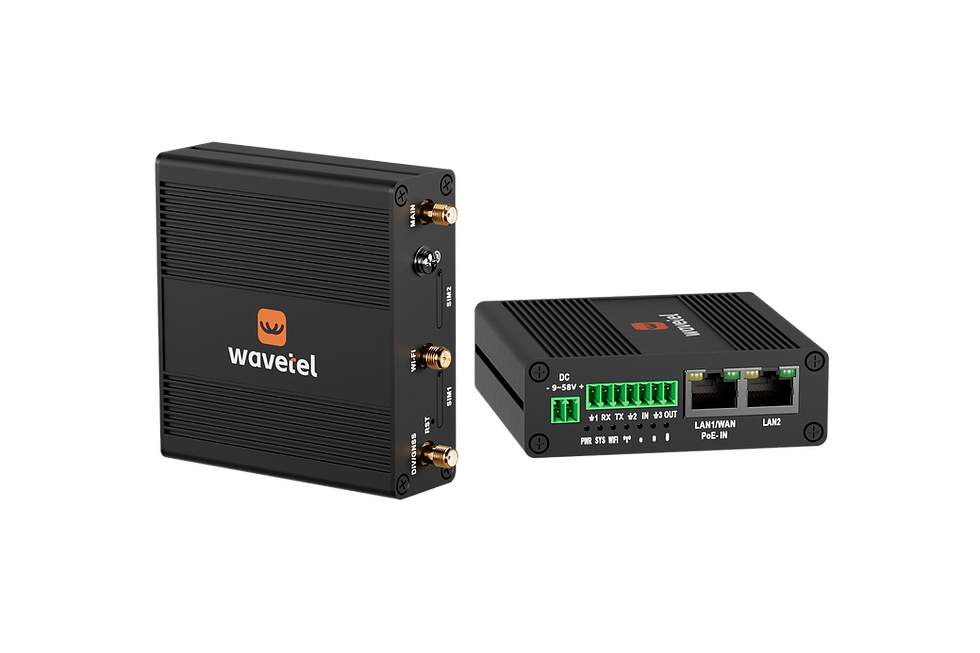
WR153
5G RedCap
Dual Sim
Serial + I/O
WAN Failover

WR254
5G RedCap
Wi-Fi
4 x FE ports
WAN Failover
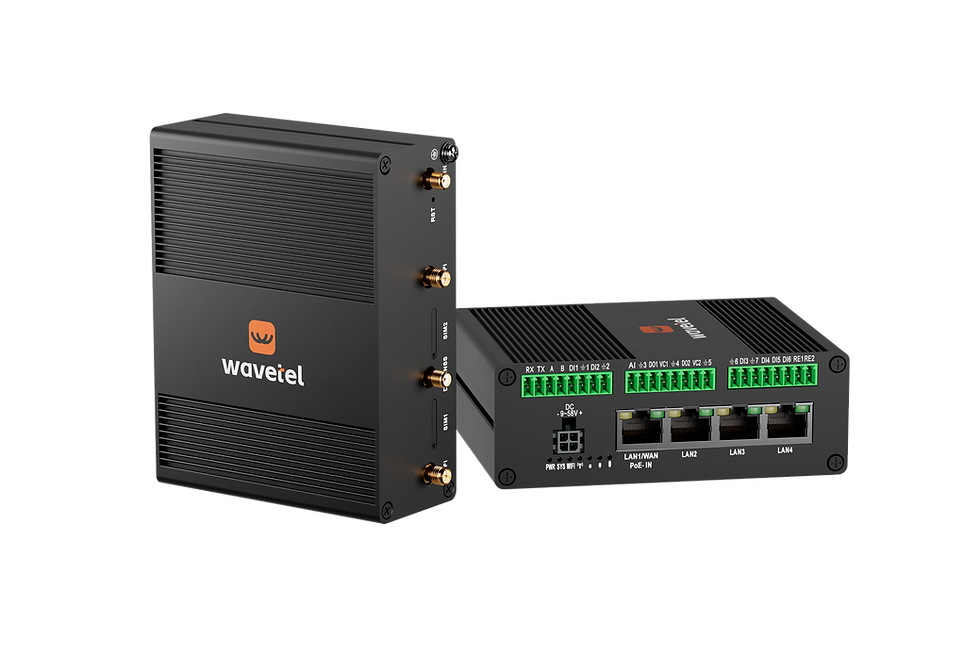
WR255
5G RedCap
Wi-Fi
4*FE + Serial + I/O
WAN Failover
Related applications




FAQ
What is the difference between 5G RedCap, LTE Cat 4 and full 5G?
LTE Cat 4 uses 4G; RedCap provides reduced-capability 5G on compatible 5G SA networks, while full 5G targets higher data demands. Use the comparison above to match the network option to your workload; performance depends on the network and deployment.
Will these 5G RedCap routers work with my mobile operator?
WR153, WR254 and WR255 require an operator that supports RedCap on a compatible 5G SA network. Check the regional model's frequency bands, operator support, SIM service and coverage before deployment. A general 5G coverage claim does not by itself confirm RedCap compatibility.
Can WR153, WR254 and WR255 use 4G LTE when RedCap is unavailable?
Yes. All three models support 4G LTE as well as 5G RedCap. LTE access depends on the model's supported bands, the operator and the SIM service. Test network switching at the installation site; active connections may need to reconnect.
How do I choose between WR153, WR254 and WR255?
Which VPN and industrial protocols do the RedCap routers support?
WR153, WR254 and WR255 list WireGuard, OpenVPN, IPsec, Modbus TCP and MQTT support. Before deployment, confirm the available VPN settings and Modbus/MQTT roles in the selected model's firmware and configuration guide. The VPN comparison guide explains how the VPN options differ.